Guide · ADA Title II
ADA Title II PDF requirements for cities and counties (2027 and 2028 deadlines)
The DOJ rule requires the PDFs that state and local governments post online to meet WCAG 2.1 AA. Here is what is covered, when, and where to start.
Not sure which date applies to you? Use our free ADA Title II deadline checker to see your date, days left and weekly PDF pace.
The short answer
In April 2024 the U.S. Department of Justice (DOJ) published a rule under Title II of the Americans with Disabilities Act. It requires state and local governments to make their web content and mobile apps meet WCAG 2.1 Level AA. Web content includes the documents you post: PDFs, Word files, spreadsheets and slide decks.
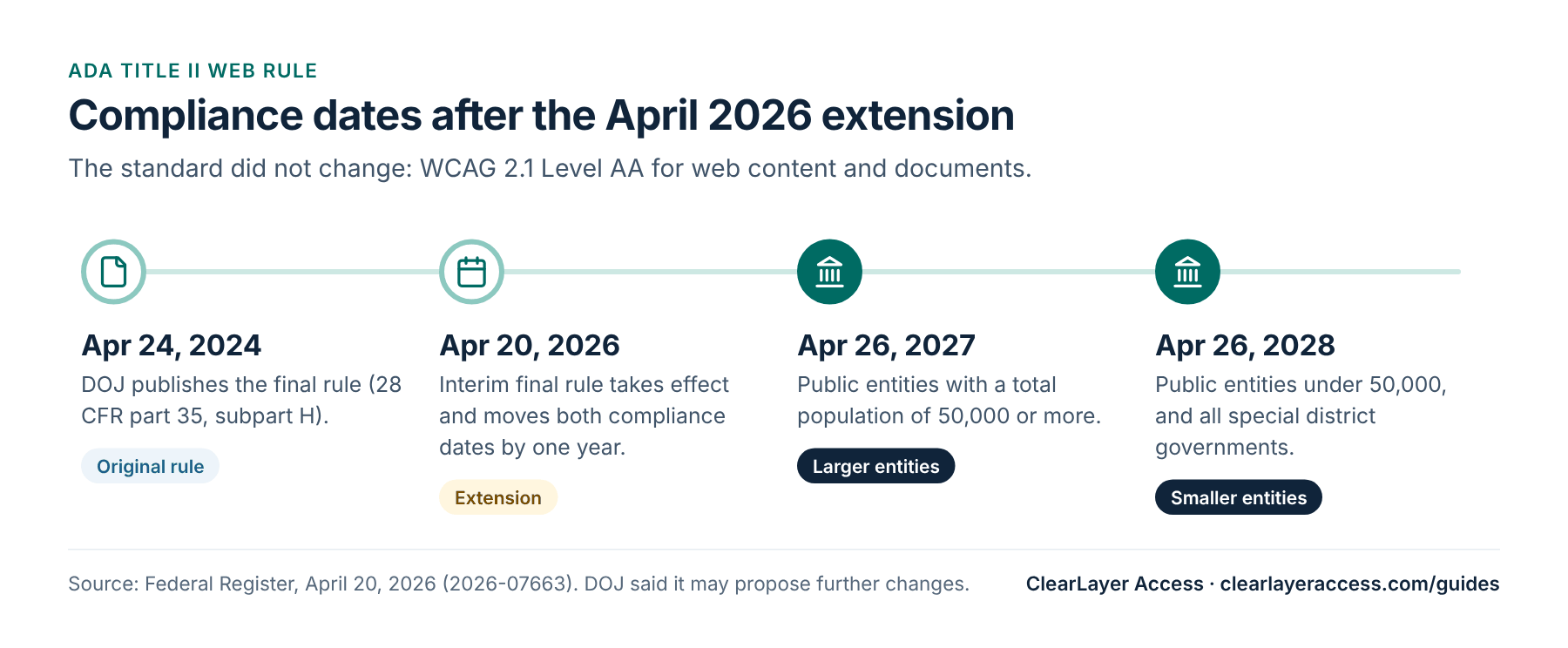
An interim final rule that took effect on April 20, 2026 moved the compliance dates back by one year:
- April 26, 2027 for public entities with a total population of 50,000 or more.
- April 26, 2028 for public entities with a population under 50,000, and for all special district governments.
The technical standard did not change. DOJ also said it will consider proposing changes to the rule (a notice of proposed rulemaking, or NPRM) during the extra year. If it does not, it expects to apply the rule at the new dates. The safe assumption is that the dates stand.
The extension moved only the technical compliance dates. DOJ said that covered entities still have an ongoing obligation under their existing Title II duties, so effective communication, reasonable modifications and nondiscrimination requirements continue to apply in the meantime.
Who has to comply
Title II covers state and local governments and their agencies: cities, counties, towns, villages, public school districts, public colleges, transit agencies, utilities run by a public body, and special districts such as water, fire or park districts. Your date depends on the total population of your jurisdiction. Special district governments always fall under the later 2028 date.
If you are unsure which population figure applies to your entity, for example a regional authority or a school district that crosses county lines, confirm it with your attorney before you plan around the later date.
Which documents are covered
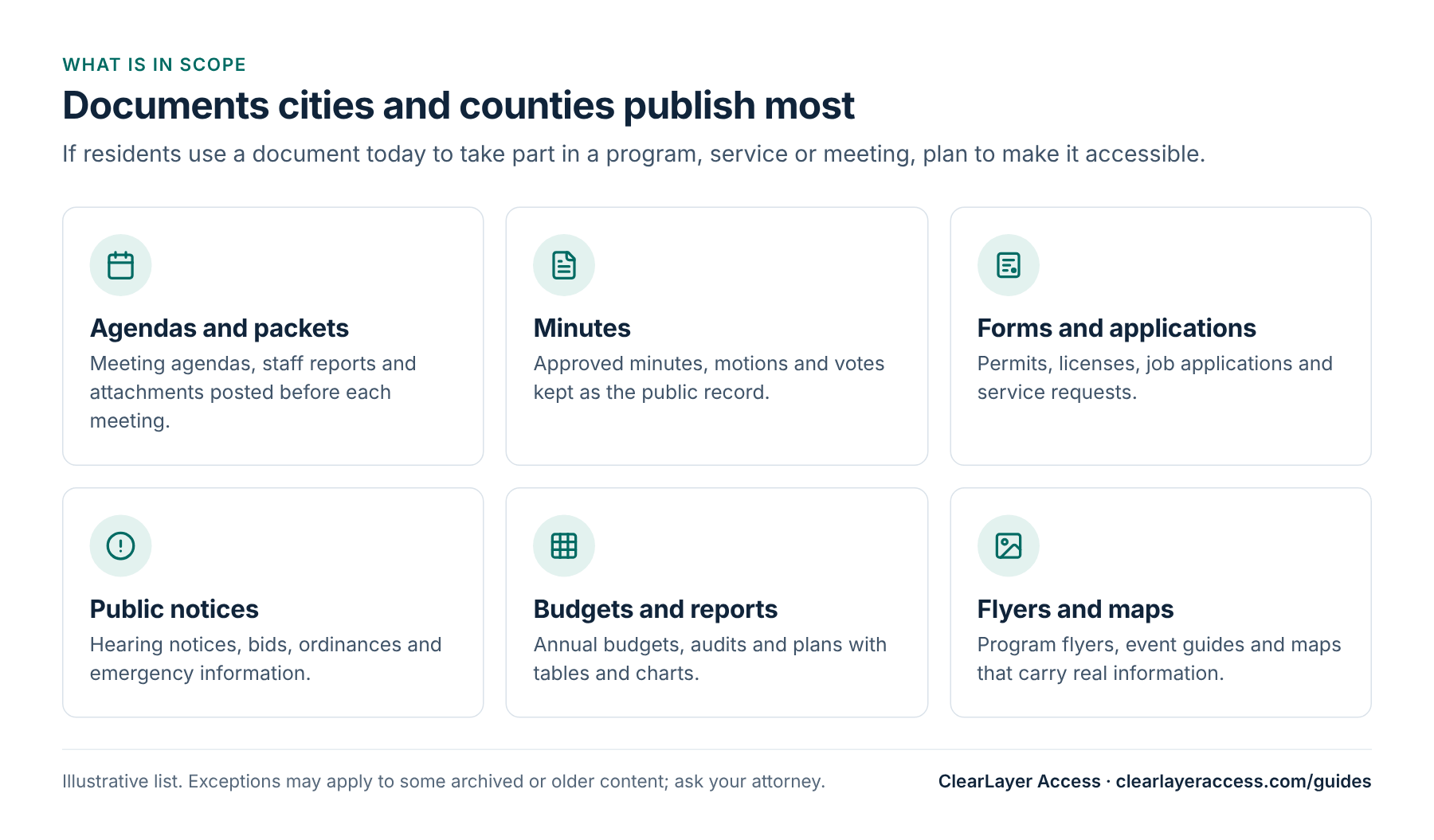
In practice, the documents a clerk’s office, finance team or planning department posts every week are the ones that matter most, because residents use them to take part in meetings and services:
- Agendas and agenda packets, including staff reports and attachments.
- Minutes, motions and voting records.
- Forms and applications: permits, licenses, job applications and service requests.
- Public notices: hearings, bids, ordinances and emergency information.
- Budgets, audits and plans, which are full of tables and charts.
- Flyers, guides and maps that carry real information, not just decoration.
Exceptions, in brief
The 2024 rule includes a small number of exceptions. In plain terms, they are:
- Archived web content: created before your compliance date, kept only for reference, research or recordkeeping, stored in a clearly marked archive area, and not changed since it was archived.
- Preexisting conventional electronic documents: PDFs, word-processor, presentation and spreadsheet files posted before your compliance date, unless they are still used to apply for, access or take part in your services, programs or activities.
- Third-party content posted by people or companies that are not acting for you under a contract, license or other arrangement.
- Individualized, password-protected documents about a specific person, property or account, such as a utility bill.
- Preexisting social media posts made before your compliance date.
Two points are often misunderstood. Moving a file into a folder called “archive” does not by itself make it archived web content: all four conditions have to be met. And older documents are not automatically exempt; if people still use them to apply for or take part in a service, plan to make them accessible.
For each exception’s conditions in detail, see ADA Title II exceptions explained.
An exception is not a reason to ignore a request. You still need to communicate effectively with people with disabilities, so publish a clear way to ask for an accessible version, and respond quickly. Whether a specific file qualifies is a legal question for your attorney.
What WCAG 2.1 AA means for a PDF
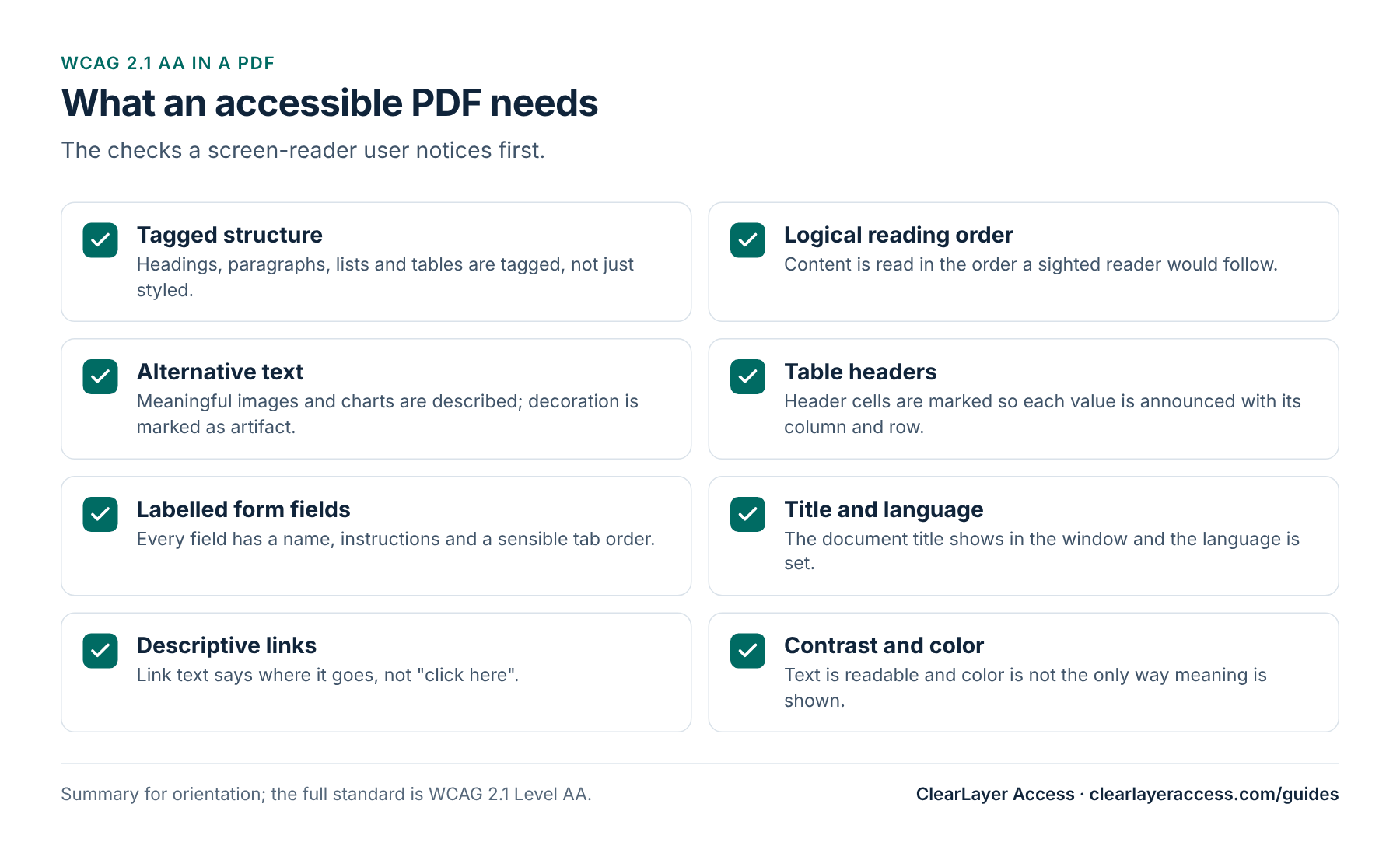
WCAG was written for web pages, but its success criteria apply to documents too. For a PDF, the issues that block screen-reader and keyboard users most often are missing tags, a scrambled reading order, images without descriptions, tables without header cells and form fields without labels.
Automated checkers find many of these problems, but not all. A file can pass an automated check and still read in the wrong order, so a manual review with a screen reader is part of any serious test.
A practical prioritization plan
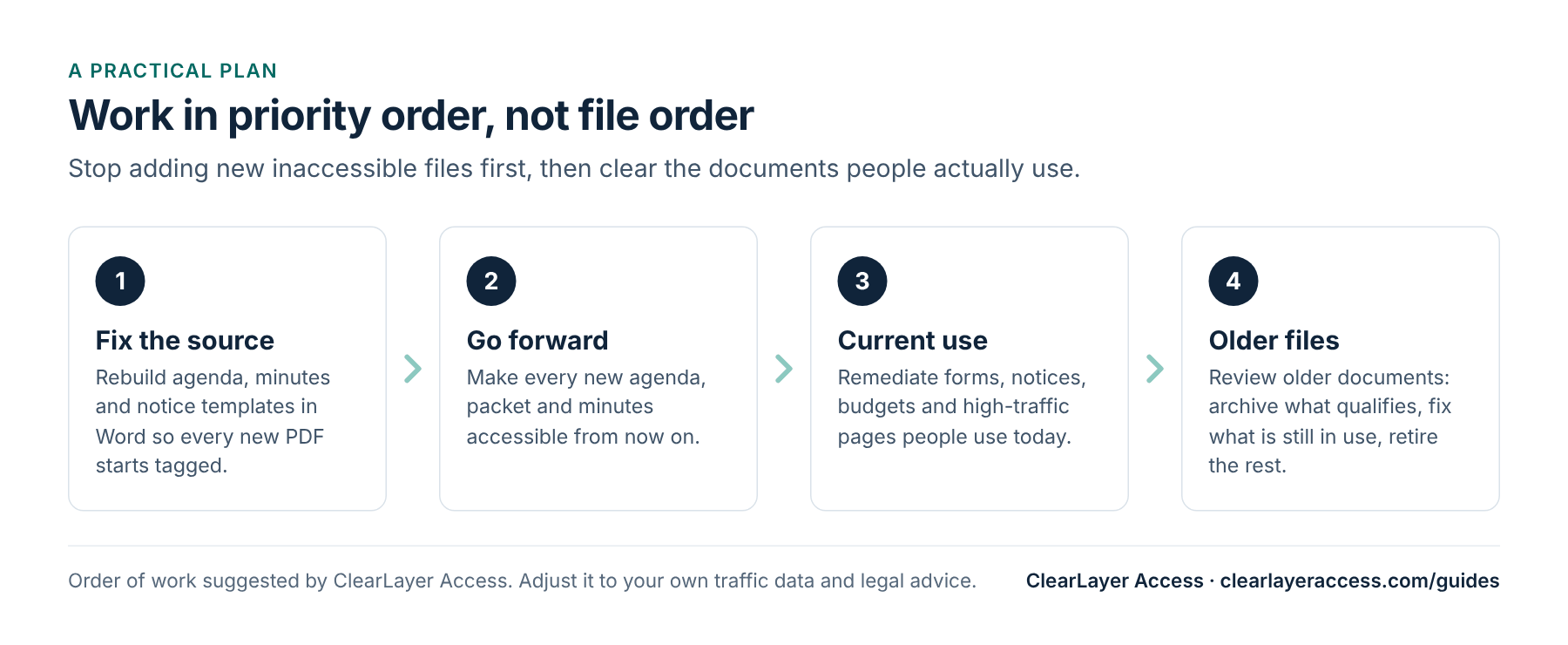
Most cities and counties have thousands of PDFs online. Trying to fix them in file order wastes budget on documents nobody opens. A better order is:
- Take inventory. Export a list of every document on your site with its page count, date, owning department and, if you have it, traffic.
- Fix the source templates. Rebuild the Word templates for agendas, minutes and notices with real headings, lists and table header rows. Every new PDF then starts out close to accessible. Our checklist for clerks covers the details.
- Set a go-forward date. From that date, every new agenda, packet and set of minutes is checked before it is posted.
- Clear current-use documents. Forms, active notices, the current budget and anything residents need to use a service.
- Decide on older files. Move true archive material into a labeled archive area, fix older files that are still in use, and retire outdated files from public pages in line with your records retention schedule (removing a file from the website is not the same as destroying the record).
- Write it down. Keep a short record of what you fixed, what you archived and why, and publish an accessibility page that tells people how to ask for help.
Beyond PDFs: vendors and requests
Documents are only part of the rule. Your web pages, online payment and permit systems, meeting video, and mobile apps are covered too, including tools that a vendor runs for you under contract. Agenda management platforms, permit portals and payment processors often produce the very PDFs and pages residents rely on.
- Ask each software vendor for a current Accessibility Conformance Report (ACR) and a dated plan for any gaps.
- Add WCAG 2.1 AA to new contracts and renewals, with a right to request evidence of testing.
- Caption meeting video and post transcripts where you can; our media accessibility service covers both.
- Publish an accessibility page with a named contact, an email address and a promise of how quickly you respond to requests for accessible versions.
These steps cost little, and they show residents and reviewers that accessibility is managed rather than left to chance.
Time and budget
Remediation is usually priced per page, and complex tables, forms and scanned pages cost more than plain text. Our guide to PDF remediation cost in 2026 compares public reference prices. ClearLayer Access remediates documents for public entities from $6 per page, with complex tables and forms at $12 per page and overnight delivery of up to 200 pages, subject to file complexity and agreed scope.
If you want to see the quality first, send up to 10 pages through our free PDF test and review the tagged files and test notes before you decide.
Prepared by ClearLayer Access. Published October 31, 2026; dates, rules and references checked against official sources on October 31, 2026. This guide is general information, not legal advice, and following it does not guarantee compliance or any legal outcome.
Frequently asked questions
Yes. The rule covers web content, and that includes documents posted on your website or in your app, such as PDFs, Word files, spreadsheets and presentations. They need to meet WCAG 2.1 Level AA unless an exception applies.
Under the interim final rule effective April 20, 2026, public entities with a total population under 50,000, and all special district governments, must comply by April 26, 2028. Entities of 50,000 or more must comply by April 26, 2027.
Not necessarily. Older documents posted before your compliance date may fall under an exception if they are not used to access your services, and true archive material may qualify too. Documents you still use, such as current forms and agendas, generally need to be accessible. Ask your attorney about specific files.
DOJ said it will consider proposing changes to the rule during the extension. If it does not, it expects to apply the rule at the new dates. Plan to meet April 26, 2027 or April 26, 2028 and watch the Federal Register for updates.
Start with 10 free pages.
Send your next agenda packet or a form and see the tagged result and test notes before you decide.
Free test open to cities, counties, school districts and special districts.